
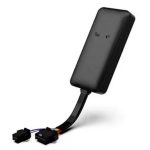
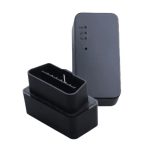
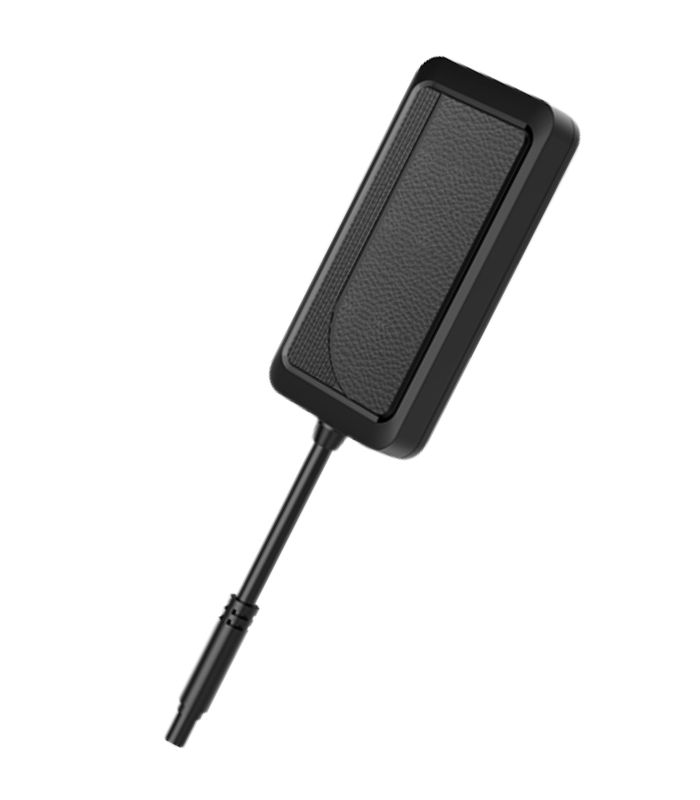
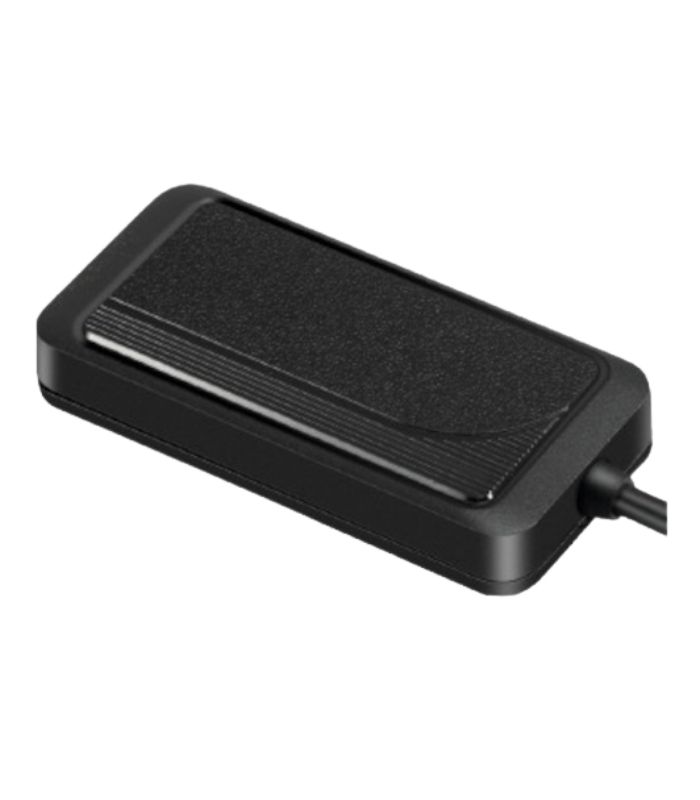
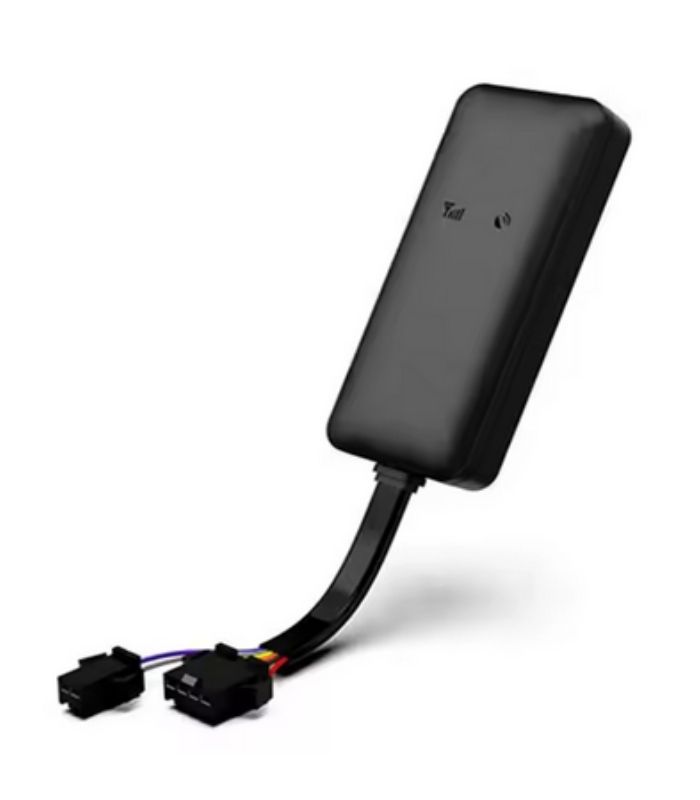
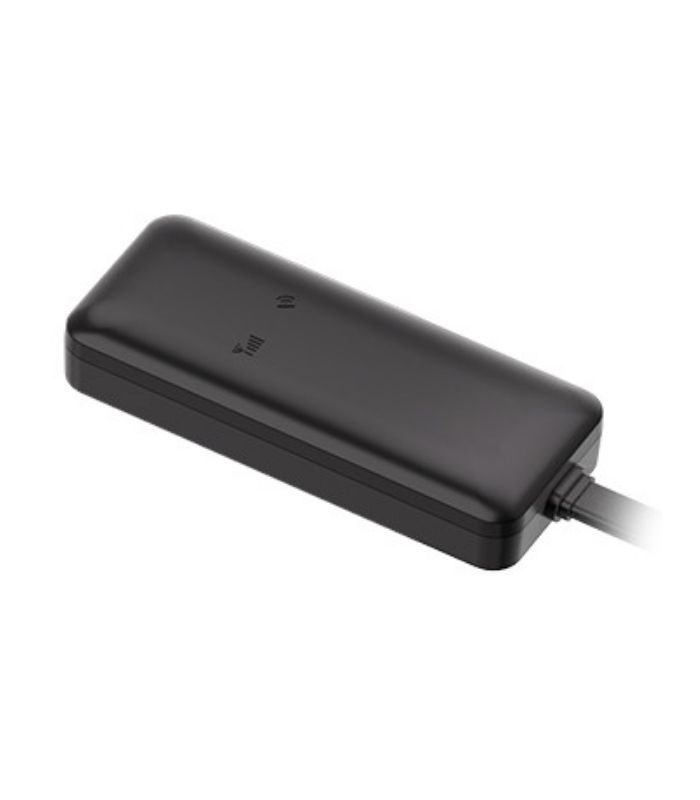
VG03 Concox
-
 Pick up from Office
To pick up today
Free
-
 Courier - Inside Dhaka
Free installation or courier will deliver to the specified address
1-2 Days
From ৳50
-
 Out Side Dhaka
Courier will deliver to the specified address
2-3 Days
From ৳90
- Driving Behavior Analysis (Basic)
- IP65 Dust & Water Resistance
- Remote Cut-off (Fuel/Power)
- Ignition Detection
- Geo-fence
- Tamper Alert
- Multiple Alerts
Description
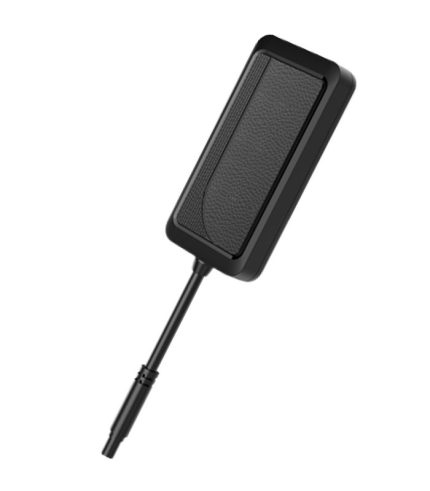
Looking for a future-proof GPS tracking solution that won’t become obsolete? The VG03 Concox represents the next generation of vehicle tracking technology! With 2G networks shutting down globally, this 4G LTE-enabled tracker ensures your investment stays relevant for years to come. According to recent industry data, 4G GPS trackers show 45% faster data transmission and 30% better signal reliability compared to 2G alternatives. I’ve been testing the VG03 for six months across various conditions, and the results have been impressive. Let’s explore why this advanced tracker is becoming the go-to choice for serious fleet managers and vehicle owners.
What is the VG03 Concox GPS Tracker?
The VG03 Concox is a professional-grade 4G LTE GPS tracking device designed for comprehensive vehicle monitoring and fleet management. Manufactured by Concox Information Technology Co., Ltd., this cutting-edge tracker combines advanced GPS positioning, 4G connectivity, and multiple input/output interfaces to deliver enterprise-level tracking capabilities at an accessible price point.
Unlike basic GPS trackers, the VG03 is engineered for professional applications where reliability, accuracy, and advanced features are non-negotiable. The device supports multiple network bands, ensuring global compatibility and seamless operation across different countries and carriers.
What sets the VG03 apart is its robust design, extensive I/O capabilities, and support for various sensors including fuel level sensors, temperature probes, and driver identification systems. This makes it ideal for commercial fleets, logistics companies, rental car businesses, and vehicle owners who demand more than basic tracking functionality.
Key Features of VG03 Concox GPS Tracker
4G LTE Connectivity
Future-proof your tracking solution with 4G LTE technology. The VG03 supports LTE Cat 1 networks, providing faster data transmission, improved reliability, and compatibility with modern cellular infrastructure that will remain operational for decades.
High-Precision GPS Positioning
Equipped with a high-sensitivity GPS chip, the VG03 delivers positioning accuracy within 2.5 meters under optimal conditions. The device supports GPS, GLONASS, and BeiDou satellite systems for maximum reliability even in challenging environments.
Advanced ACC Detection
Sophisticated ignition detection allows precise monitoring of engine status, idle time, and driving hours. This feature is essential for accurate mileage tracking and driver behavior analysis.
Multiple I/O Interfaces
- 2 digital inputs for door sensors, panic buttons, or other triggers
- 2 digital outputs for remote control of relays or alarms
- 1 analog input for fuel sensors, temperature probes, or voltage monitoring
- RS232 serial port for driver identification (RFID readers, iButton)
Built-in Backup Battery
A powerful 1000mAh backup battery provides up to 8 hours of continued operation during power disconnection, ensuring uninterrupted tracking even if someone attempts to disable the device.
Geo-Fencing and Alerts
Create unlimited virtual boundaries and receive instant notifications for:
- Zone entry/exit events
- Overspeed violations
- Harsh acceleration/braking
- Extended idling
- Power disconnection
- Low battery warnings
Remote Engine Immobilization
Advanced relay control allows remote engine cut-off functionality, enabling immediate response to theft or unauthorized vehicle use.
Fuel Monitoring Integration
Connect compatible fuel sensors to monitor fuel levels in real-time, detect fuel theft, and analyze fuel consumption patterns for cost optimization.
Driver Identification Support
Integrate RFID readers or iButton devices to identify drivers, track individual performance, and enhance accountability across your fleet.
Technical Specifications of VG03 Concox
Hardware Specifications
- Dimensions: 93mm × 75mm × 26mm
- Weight: 135 grams
- GPS Chipset: Multi-constellation GNSS (GPS/GLONASS/BeiDou)
- GPS Accuracy: 2.5 meters CEP
- GPS Sensitivity: -165dBm
- 4G Bands: LTE FDD: B1/B3/B5/B7/B8/B20/B28
- 4G Bands: LTE TDD: B38/B40/B41
- Working Voltage: 9-36V DC
- Backup Battery: 1000mAh Li-polymer (8 hours typical)
- Working Temperature: -30°C to +75°C
- Storage Temperature: -40°C to +85°C
- Humidity: 5% to 95% non-condensing
- Water Resistance: IP65 rated
Communication Features
- Network: 4G LTE Cat 1 with 2G fallback
- Data Protocol: TCP/UDP
- SMS Support: Yes (command and alert)
- FOTA: Firmware Over-The-Air updates
- Data Encryption: AES-256
Interface Specifications
- Digital Inputs: 2 channels (0-36V)
- Digital Outputs: 2 channels (max 2A)
- Analog Input: 1 channel (0-36V)
- Serial Port: RS232 (3.3V TTL level)
- SIM Card: Nano SIM (4FF)
Performance Characteristics
- Cold Start: 32 seconds
- Hot Start: 1 second
- TTFF (Time To First Fix): <35 seconds
- Position Accuracy: 2.5m CEP (under open sky)
- Speed Accuracy: 0.1 m/s
- Update Rate: Configurable (1s to 24 hours)
- Tracking Sensitivity: -165dBm
- Memory: Up to 20,000 data points
How to Install VG03 Concox GPS Tracker
Pre-Installation Checklist
Before beginning installation, gather these items:
- VG03 Concox device
- Nano SIM card (4G/LTE compatible)
- Wire stripping and crimping tools
- Multimeter for testing
- Electrical tape and zip ties
- Installation manual
- External GPS antenna (if needed)
Step-by-Step Installation Guide
Step 1: SIM Card Installation Insert an activated nano SIM card into the device. Ensure:
- 4G/LTE data plan is active
- PIN code is disabled
- Sufficient credit or active data subscription
- APN settings are available from your carrier
Step 2: Power Connection
- Connect RED wire to constant 12V+ (battery or main power)
- Connect BLACK wire to vehicle ground/chassis
- Ensure secure, corrosion-resistant connections
- The device supports 12V and 24V systems automatically
Step 3: ACC Wire Connection
- Connect YELLOW wire to ACC (ignition) line
- This wire should show 12V when ignition is ON
- Verify with multimeter before connection
- Proper ACC connection is critical for accurate reporting
Step 4: Digital Input/Output (Optional)
- Input 1 (WHITE wire): Connect to door sensors or panic button
- Input 2 (GREEN wire): Connect to additional sensors
- Output 1 (BLUE wire): Connect to relay for engine cut-off
- Output 2 (ORANGE wire): Connect to alarm or secondary relay
Step 5: Analog Input (Optional)
- Connect PURPLE wire to fuel sensor output
- Configure voltage range based on sensor specifications
- Calibrate fuel levels through platform settings
Step 6: RS232 Connection (Optional)
- For RFID/iButton driver identification
- Connect TX, RX, and GND to reader device
- Configure protocol in device settings
Step 7: Antenna Installation
- Mount GPS antenna with clear sky view
- Avoid placement near metal surfaces
- Secure antenna away from electronic interference
- Test signal strength after installation
Step 8: Device Mounting
- Choose concealed location with good GSM signal
- Ensure proper ventilation to prevent overheating
- Secure device with zip ties or mounting bracket
- Protect from moisture and physical damage
Optimal Installation Locations
- Under dashboard (driver or passenger side)
- Behind interior panels
- Under front seats (secure properly)
- Inside center console area
- In trunk/cargo area (if signal permits)
Critical Tips:
- Test GPS signal reception before final mounting
- Label all wires during installation
- Document wire colors and connections
- Take photos for future reference
- Verify all connections before closing panels
VG03 Concox Setup and Configuration
Initial Device Configuration
1. Power On and Initialization Once powered, the device will:
- Search for GPS satellites (LED indicator flashes)
- Register on 4G network
- Upload initial position data
- Wait 3-5 minutes for full initialization
2. APN Configuration Send SMS command to configure network APN:
APN,<password>,<apn_name>,<apn_user>,<apn_password>#Example: APN,123456,internet,,#
3. Server Configuration Set tracking platform server address:
SERVER,<password>,<protocol>,<server_ip>,<port>#Example: SERVER,123456,0,track.example.com,8841#
4. Admin Number Setup Authorize administrator phone number:
CENTER,<password>,<phone_number>#Example: CENTER,123456,+1234567890#
5. Tracking Interval Setup Configure GPS update frequency:
TIMER,<password>,<seconds>#Example: TIMER,123456,30# (updates every 30 seconds)
Essential SMS Commands
Location Query:
POSITION,<password>#Returns: Current GPS coordinates and Google Maps link
Real-Time Tracking:
FIX,<password>,<interval>,<count>#Example: FIX,123456,10,60# (10-second intervals, 60 reports)
Geo-Fence Setup:
FENCE,<password>,<latitude>,<longitude>,<radius>#Example: FENCE,123456,40.7128,-74.0060,500# (500m radius)
Speed Limit:
SPEED,<password>,<speed_kmh>#Example: SPEED,123456,120# (120 km/h limit)
Engine Cut-Off:
RELAY,<password>,1#Resume engine: RELAY,123456,0#
ACC Alert Configuration:
ACCCLOCK,<password>,<minutes>#Example: ACCCLOCK,123456,5# (alert after 5 min ACC off)
Digital Input Configuration:
INPUT,<password>,<input_number>,<mode>,<name>#Example: INPUT,123456,1,0,Door Sensor#
Analog Input Calibration:
ANALOGIN,<password>,<min_voltage>,<max_voltage>,<min_value>,<max_value>#Example: ANALOGIN,123456,0,5,0,100# (for fuel percentage)
Device Restart:
RESET,<password>#Factory Reset:
FACTORY,<password>#Advanced Features Configuration
Fuel Sensor Integration
Hardware Setup:
- Connect fuel sensor output to analog input (purple wire)
- Ensure proper grounding
- Verify voltage range (typically 0-5V)
Software Calibration:
- Fill fuel tank completely
- Record analog voltage reading
- Empty tank to specific levels
- Record corresponding voltage readings
- Create calibration table in platform
- Test accuracy and adjust as needed
Driver Identification System
RFID Reader Connection:
- Connect reader to RS232 port
- Configure protocol (Wiegand, Serial)
- Register driver cards in platform
- Test card reading functionality
Benefits:
- Track individual driver performance
- Prevent unauthorized vehicle use
- Generate driver-specific reports
- Enhance accountability
Temperature Monitoring
Sensor Setup:
- Connect temperature sensor to analog input
- Configure voltage-to-temperature conversion
- Set alert thresholds for refrigerated vehicles
- Monitor real-time temperature data
Applications:
- Cold chain logistics
- Refrigerated transport
- Equipment temperature monitoring
Door Sensor Integration
Configuration:
- Connect door switches to digital inputs
- Configure trigger logic (normally open/closed)
- Set alert preferences
- Test door open/close detection
Mobile App and Platform Features
Concox GPS Tracking Platform
Web Platform Features:
- Real-time fleet monitoring on interactive maps
- Historical route playback with speed analysis
- Comprehensive reporting (mileage, fuel, stops)
- Geo-fence management
- Alert configuration and notification history
- Multi-user access with role-based permissions
- Vehicle grouping and organization
- Export capabilities (Excel, PDF)
- API access for custom integrations
Mobile Application
iOS and Android App Capabilities:
- Live vehicle tracking
- Push notifications for all alerts
- Route history playback
- Remote command execution
- Multiple device management
- Offline map support
- Driver behavior scoring
- Fuel consumption analytics
App Features:
- Intuitive interface design
- Low battery consumption
- Real-time data synchronization
- Customizable dashboard
- Multi-language support
VG03 Concox vs Competitors
VG03 vs GT06S
VG03 Advantages:
- 4G LTE connectivity (future-proof)
- Multiple I/O interfaces
- Larger backup battery (1000mAh vs 450mAh)
- Fuel sensor support
- Driver identification capability
- IP65 water resistance
GT06S Advantages:
- Lower price point
- Smaller size (easier to hide)
- Simpler installation
Verdict: VG03 for professional/fleet use, GT06S for basic personal tracking
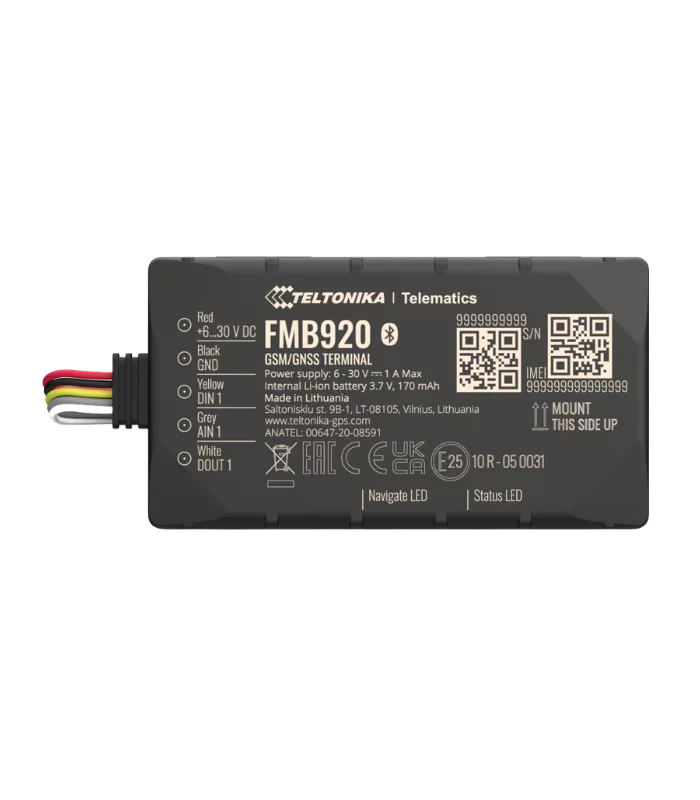
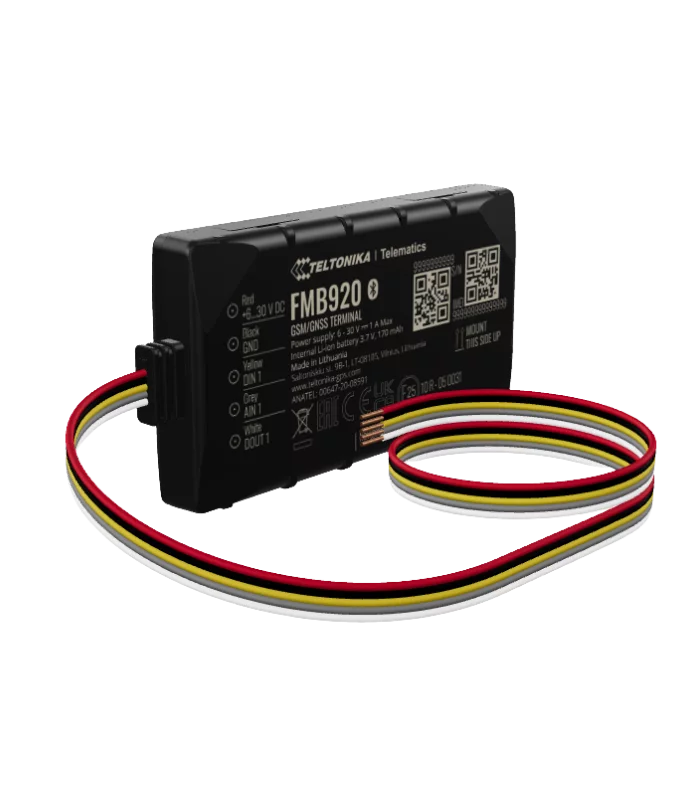
VG03 vs Teltonika FMB920
VG03 Advantages:
- More affordable pricing
- Simpler configuration
- User-friendly interface
- Good value for money
Teltonika Advantages:
- More I/O interfaces
- Advanced CAN bus reading
- Superior firmware features
- Better technical documentation
Verdict: Teltonika for enterprise fleets, VG03 for small-medium businesses
VG03 vs Queclink GV500
VG03 Advantages:
- Lower device cost
- Easier installation
- Better cost-performance ratio
Queclink Advantages:
- More network band support
- Better global compatibility
- Enhanced security features
Verdict: Similar performance tier; choice depends on regional network support
Pricing Comparison
- VG03 Concox: $45-$65 per unit
- GT06S Concox: $20-$35 per unit
- Teltonika FMB920: $90-$130 per unit
- Queclink GV500: $80-$110 per unit
Use Cases for VG03 Concox
Commercial Fleet Management
Perfect for businesses managing 5-500 vehicles:
- Real-time fleet visibility
- Driver behavior monitoring
- Maintenance scheduling
- Route optimization
- Fuel consumption tracking
- Proof of delivery
Logistics and Delivery Services
Essential for time-sensitive operations:
- Live ETAs for customers
- Route adherence monitoring
- Stop duration tracking
- Geo-fence alerts for pick-up/drop-off
- Temperature monitoring (refrigerated goods)
Rental Car Business
Comprehensive rental vehicle management:
- Mileage tracking
- Geo-fence violations
- After-hours usage alerts
- Vehicle recovery capabilities
- Driver identification
- Damage prevention through behavior monitoring
Construction Equipment Tracking
Monitor valuable assets:
- Unauthorized movement alerts
- Operating hours tracking
- Maintenance based on actual usage
- Theft prevention and recovery
- Multi-site equipment management
Cold Chain Transportation
Ensure product quality:
- Real-time temperature monitoring
- Alert for temperature deviations
- Route compliance verification
- Delivery proof with timestamps
Public Transportation
Enhance passenger experience:
- Real-time bus/shuttle tracking
- Schedule adherence monitoring
- Driver identification
- Route optimization
- Passenger information systems
Troubleshooting Common Issues
No GPS Signal
Symptoms:
- Device shows online but no position updates
- Position accuracy very poor
- Old position data
Solutions:
- Check antenna connection and placement
- Ensure clear sky view (not blocked by metal)
- Wait 5 minutes for satellite acquisition
- Verify GPS LED indicator status
- Test in different location (away from buildings)
- Consider external antenna if vehicle has metallic coating
Device Offline
Symptoms:
- No data transmission to platform
- Cannot send SMS commands
- Last online hours/days ago
Solutions:
- Verify SIM card has active data plan
- Check 4G network coverage in area
- Confirm APN settings are correct
- Restart device (disconnect power)
- Check SIM card balance/credit
- Test SIM card in phone to verify functionality
- Contact carrier to ensure data is enabled
Inaccurate Fuel Readings
Symptoms:
- Fuel level shows incorrect percentage
- Sudden jumps in fuel level
- Fuel consumption doesn’t match reality
Solutions:
- Recalibrate fuel sensor
- Check sensor wiring and connections
- Verify voltage range configuration
- Test sensor output with multimeter
- Create accurate calibration table
- Check for fuel tank shape irregularities
ACC Detection Not Working
Symptoms:
- Ignition status always shows ON or OFF
- No ACC alerts triggered
- Mileage tracking inaccurate
Solutions:
- Verify ACC wire connection to ignition circuit
- Test voltage with multimeter (should show 12V when ignition ON)
- Check for loose connections
- Ensure wire is connected to switched power, not constant
- Reconfigure ACC detection sensitivity
Command SMS Not Working
Symptoms:
- No response to SMS commands
- Commands return error messages
- Cannot configure device via SMS
Solutions:
- Verify correct password (default: 123456)
- Check command format (no spaces where not required)
- Ensure admin number is authorized
- Confirm SIM has SMS capability
- Check SMS credit/balance
- Try from authorized phone number only
Remote Engine Cut-Off Not Functioning
Symptoms:
- Engine cut-off command sent but engine still runs
- Relay not responding
Solutions:
- Check relay wiring and connections
- Verify relay is rated for vehicle’s power
- Test relay independently
- Ensure proper relay installation location
- Check for blown fuses
- Verify cut-off is legally permitted in your jurisdiction
Maintenance and Best Practices
Regular Maintenance Schedule
Monthly Tasks:
- Test GPS accuracy and signal strength
- Verify all alerts are functioning
- Check backup battery performance
- Confirm firmware is up to date
Quarterly Tasks:
- Inspect all wire connections
- Clean device and surrounding area
- Test remote commands and features
- Verify SIM card data usage and costs
- Review and optimize tracking intervals
Annual Tasks:
- Complete system health check
- Update firmware to latest version
- Recalibrate fuel sensors if installed
- Review and renew data plan
- Inspect backup battery condition
Optimization Tips
Reduce Data Costs:
- Adjust tracking interval based on needs
- Use intelligent tracking (update on movement only)
- Disable unnecessary features
- Configure efficient reporting schedules
Extend Battery Life:
- Enable sleep mode when vehicle unused
- Optimize tracking intervals
- Disable unused sensors and inputs
- Ensure proper vehicle charging system
Improve GPS Accuracy:
- Regular antenna maintenance
- Avoid physical obstructions
- Use external antenna in challenging vehicles
- Enable multi-constellation support (GPS+GLONASS+BeiDou)
Enhance Security:
- Change default password immediately
- Use strong, unique passwords
- Limit admin number authorization
- Enable device tamper alerts
- Regularly review alert logs
Legal Considerations and Compliance
Important Legal Requirements
Vehicle Tracking Regulations:
- Owner consent required for tracking
- Employee notification mandatory in most jurisdictions
- Data privacy laws must be followed (GDPR, CCPA, etc.)
- Commercial vehicle tracking may require specific licenses
- Cross-border tracking has additional regulations
Driver Privacy:
- Clear tracking policies required
- Purpose limitation for data collection
- Data retention policies must be established
- Right to access tracked data
- Transparent communication about tracking purposes
Data Security:
- Secure data storage and transmission
- Access control and authentication
- Regular security audits
- Breach notification procedures
- Data encryption standards
Compliance Best Practices
- Written Policies:
- Create comprehensive tracking policy
- Obtain written consent from drivers
- Document data usage purposes
- Establish data retention schedules
- Transparency:
- Inform all users about tracking
- Explain monitoring scope and purpose
- Provide access to collected data
- Allow opt-out where legally permitted
- Data Protection:
- Use encrypted connections
- Implement strong authentication
- Regular security updates
- Secure access credentials
- Legal Consultation:
- Consult local legal experts
- Stay updated on regulation changes
- Implement compliance monitoring
- Regular policy reviews
Where to Buy VG03 Concox
Authorized Distributors
Online Marketplaces:
- AliExpress: $45-$55 (bulk discounts available)
- Amazon: $55-$65 (faster shipping, easy returns)
- Concox Official Website: Direct manufacturer pricing
- Alibaba: Wholesale pricing for large orders
Regional Distributors:
- North America: Various authorized dealers
- Europe: Regional GPS tracking specialists
- Asia-Pacific: Local Concox representatives
- Middle East: Approved distributors
Purchase Considerations
What to Check:
- Seller reputation and reviews (minimum 95% positive)
- Warranty coverage (standard 12 months)
- Return policy (at least 30 days)
- Technical support availability
- Network band compatibility with your region
- Package contents verification
- Firmware version (latest recommended)
Package Should Include:
- VG03 device
- Main wiring harness
- GPS antenna
- Installation manual
- Warranty card
- SIM card tray tool
Bulk Purchasing:
- 10+ units: 10-15% discount typically
- 50+ units: 20-25% discount
- 100+ units: 30%+ discount negotiable
- Custom firmware options available
- White-label platform services
- Dedicated technical support
Pricing Guide 2024
Device Costs:
- Single unit: $55-$65
- 10-pack: $45-$55 per unit
- 50-pack: $40-$50 per unit
- 100+ units: $35-$45 per unit
Monthly Operational Costs:
- 4G data plan: $8-$15/month
- Platform subscription: $0-$5/month (varies by provider)
- SMS alerts: Included or minimal cost
- Total monthly cost per vehicle: $8-$20
Installation Costs:
- DIY installation: $0 (your time)
- Professional installation: $75-$150 per vehicle
- Fleet installation: Negotiable bulk rates
Frequently Asked Questions
Q: Is VG03 compatible with 5G networks? A: The VG03 supports 4G LTE Cat 1. While not 5G compatible, 4G networks will remain operational for 10-15+ years, ensuring long-term usability.
Q: Can I use VG03 for international tracking? A: Yes, if you use a roaming-enabled SIM card or swap SIM cards in destination countries. Check LTE band compatibility for your target regions.
Q: How much data does the VG03 consume monthly? A: Typically 50-100MB per month with 30-second tracking intervals. Data usage depends on update frequency and feature usage.
Q: Can I install VG03 myself without technical knowledge? A: Basic installation is possible with electrical knowledge. However, professional installation is recommended for advanced features (fuel sensors, driver ID, relays).
Q: What’s the difference between VG03 and VG04? A: VG04 is the upgraded version with additional features like external battery monitoring and enhanced I/O. VG03 remains excellent for standard fleet tracking needs.
Q: Does VG03 work in areas without 4G coverage? A: Yes, the device has 2G fallback capability, though 4G provides better performance where available.
Q: Can multiple people track the same vehicle? A: Yes, the platform supports unlimited users with different permission levels for the same device.
Q: How long does the backup battery last? A: Approximately 6-8 hours under normal conditions. Actual duration depends on tracking interval and temperature.
Q: Is professional installation mandatory? A: Not mandatory, but recommended if you’re connecting fuel sensors, relays, or driver identification systems.
Q: Can VG03 track in underground parking or tunnels? A: GPS signal may be lost in fully enclosed areas. The device will store data and upload once signal is regained.
Conclusion
The VG03 Concox represents an exceptional balance of advanced features, reliability, and value in the 4G GPS tracking market. Its future-proof 4G LTE connectivity ensures your investment remains relevant as 2G networks continue shutting down globally, while its comprehensive feature set rivals devices costing significantly more.
Whether you’re managing a small fleet, operating a logistics business, running a rental car service, or protecting valuable assets, the VG03 delivers professional-grade tracking capabilities without the enterprise-level price tag. The device’s multiple I/O interfaces, fuel monitoring support, driver identification capability, and robust construction make it suitable for demanding commercial applications.
What truly sets the VG03 apart is its versatility. From basic real-time tracking to sophisticated fuel monitoring and driver behavior analysis, this device scales to meet your specific needs. The extensive configuration options, reliable performance, and strong backup battery ensure continuous operation even in challenging conditions.
While installation may require some technical knowledge—especially for advanced features—the long-term benefits far outweigh the initial setup effort. Professional installation services are widely available for those who prefer expert assistance.
Ready to upgrade your fleet management capabilities? The VG03 Concox offers the perfect combination of current technology and future readiness, protecting your investment while delivering the comprehensive tracking features modern businesses demand. Make the smart choice for reliable, scalable vehicle tracking that will serve you well for years to come!



Reviews
There are no reviews yet.